
Activity tracking with Odoo

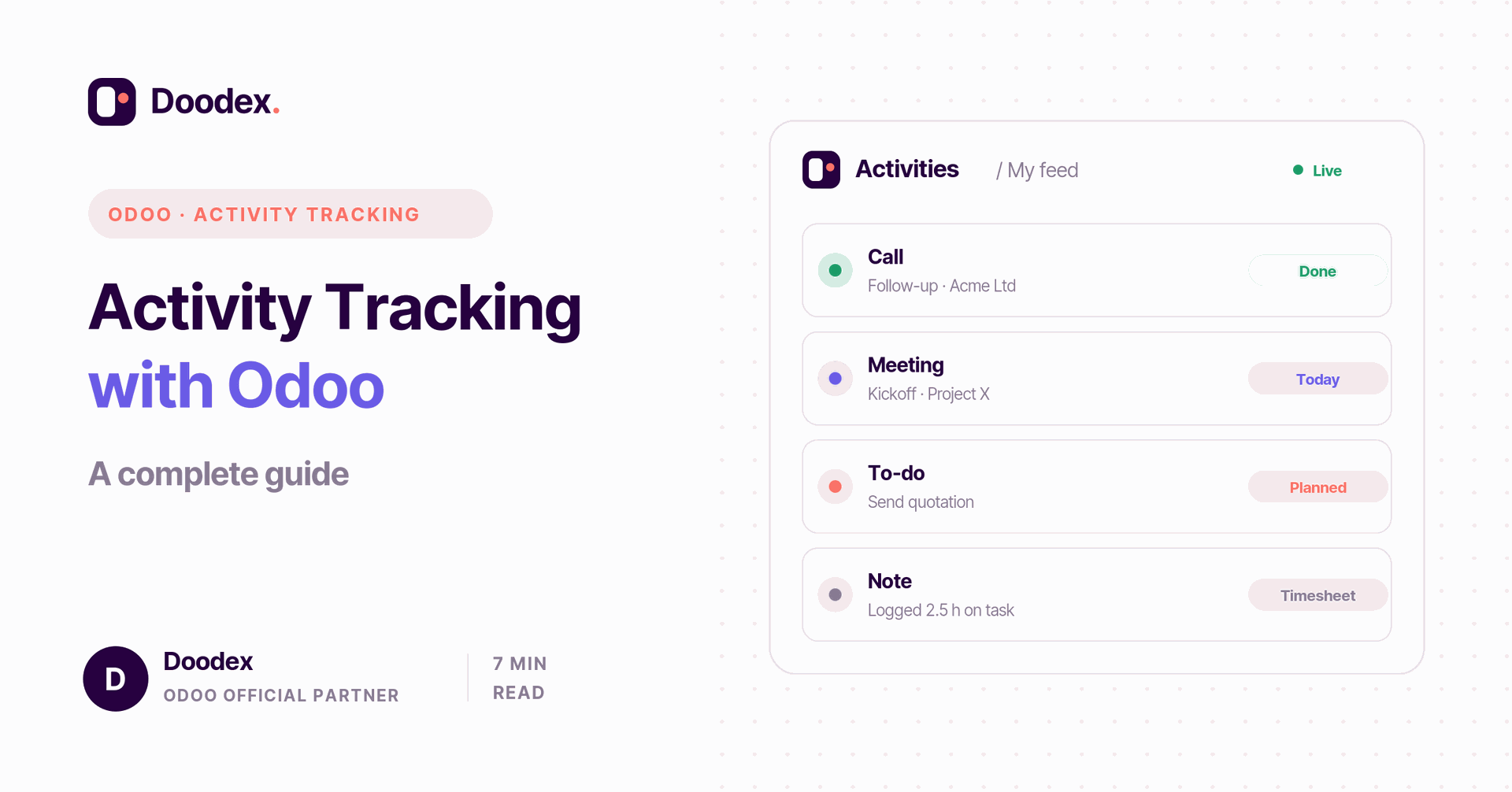
Activity tracking with Odoo means using one connected system to monitor your tasks, projects, and team in real time. Instead of scattered spreadsheets, every activity — a call, a meeting, a note, even the hours worked — is logged in your Odoo database and linked to the right record.
This article explains activity tracking in simple terms: why companies choose Odoo over Excel, how project management, CRM, sales, and accounting apps work together, how to create an activity type, and how to build a clear report. Whether you manage a small team or a whole company, Odoo helps you track activities accurately.
session
Book a free activity-tracking session
See how Odoo can track your team's activities in real time — calls, tasks, timesheets — in a free session with a Doodex specialist.
Book a free sessioncontents
- 01What activity tracking is
- 02Why choose Odoo for activity tracking
- 03How your data lives in one Odoo database
- 04How to set up an activity type
- 05Project management for activity tracking
- 06CRM and sales tracking
- 07HR and hours worked
- 08Building an activity tracking report
- 09Excel vs. Odoo
- 10Implementation steps
- →Conclusion
What activity tracking is
Activity tracking is the steady monitoring of tasks, projects, and performance across a company. It keeps managers informed about the status of work, helps them spot obstacles early, and lets them decide based on accurate data rather than guesswork. In practice, every activity — a planned call, a meeting, a follow-up note — is recorded so the whole team can see what is done and what is next.
Good tracking does three things. It improves productivity, because you can see where time goes. It reduces risk, because problems surface before deadlines slip. And it adds transparency, because everyone knows their part in the process. The goal is simple: a clear view of all activities, in one place, so you can achieve your goals faster.
Why choose Odoo for activity tracking
Odoo is a suite of open-source business software that covers your whole operation — from CRM and sales to accounting, inventory, HR, and website. Because the apps share one platform, you do not bolt separate tools together; you use a single, integrated system. That is the main reason companies choose Odoo for activity tracking.
- Full integration. Each connected app feeds the same records, so activity tracking works across every business function.
- Customization. Dashboards and reports bend to your needs; a little customization goes a long way.
- Access anywhere. Being cloud-based, you can access your data from any computer, any time.
- Automation. Smart automation can assign the right user, send reminders, and keep activities moving with no manual work.
There is also a free Community edition to start with, and you can upgrade as you grow. If you are in any doubt about leaving Excel behind, the integration alone usually settles the idea.
How your data lives in one Odoo database
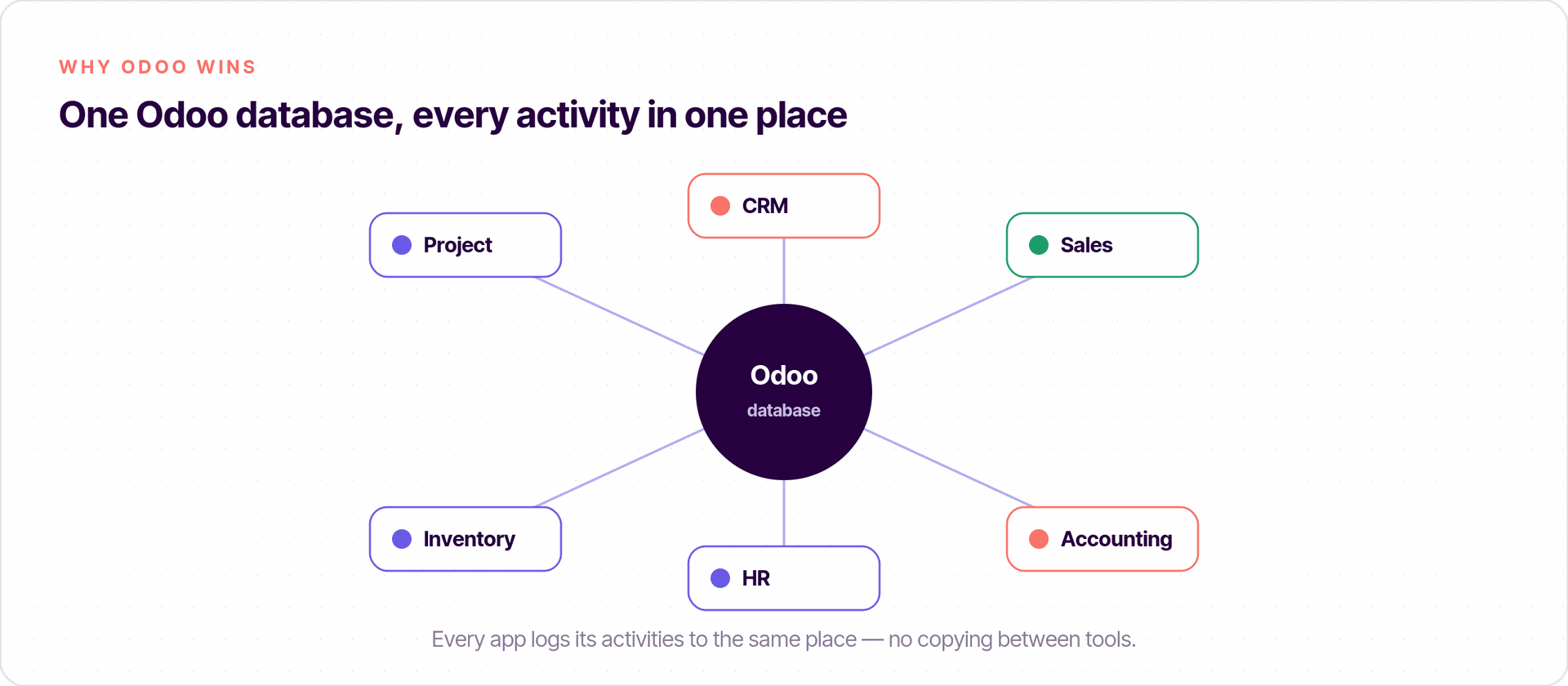
The power of Odoo comes from its single Odoo database. Every module — project, sales, HR — writes to the same place, so a task, a meeting, or an invoice is stored once and reused everywhere. There is no copying data between tools, and no risk that two reports disagree.
This shared Odoo database is also why activity tracking feels effortless. When a salesperson logs a call or a project member updates a status, the change is instantly available to managers, reports, and dashboards. The data stays consistent, current, and easy to link from one record to another.
How to set up an activity type
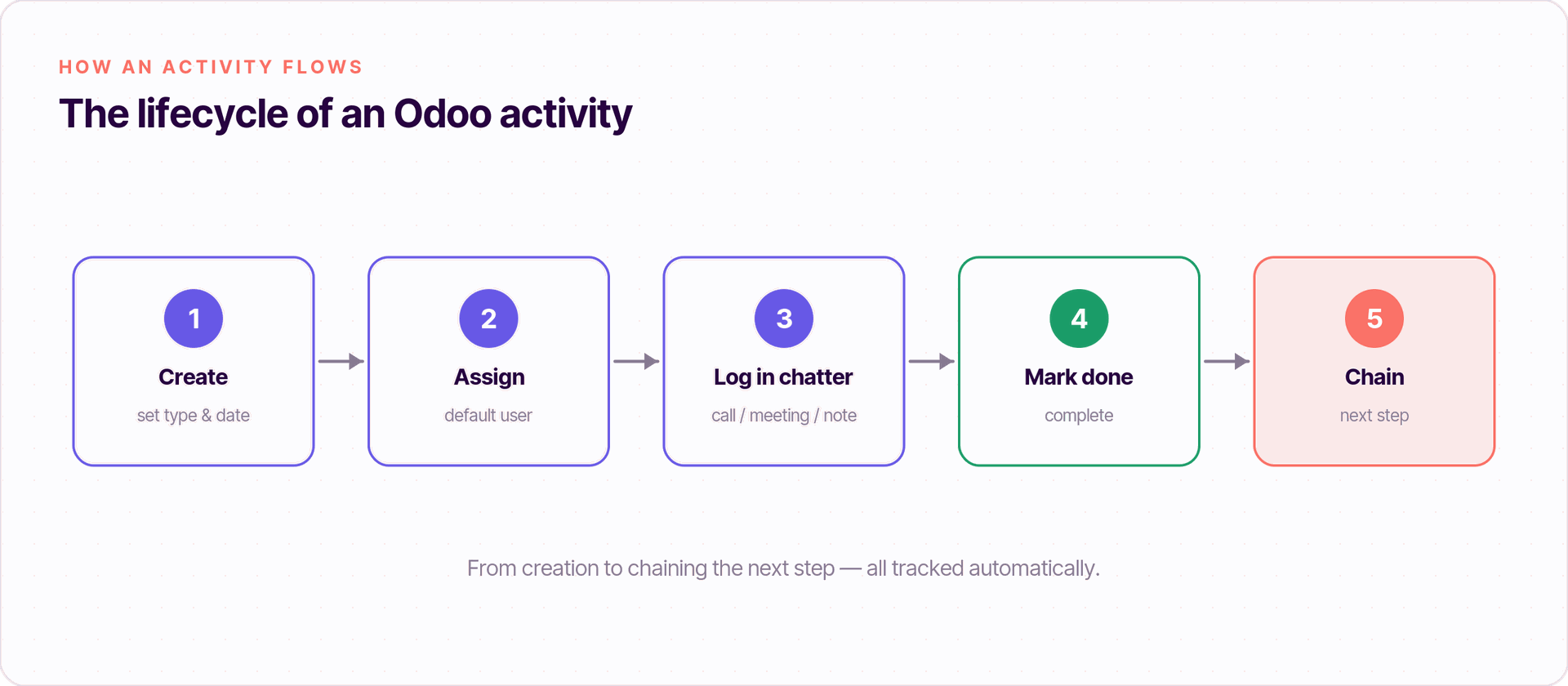
An activity type is the template behind every scheduled action — a call, an email, a to-do, a meeting. Setting up the right activity type makes logging fast and consistent for the whole team.
To create one, open the Activity Types page and define a few default settings: a default user to receive the activity, a default summary that becomes the title, and a planned date. You can also set a "Chaining Type" so finishing one activity automatically suggests the next — handy for repeatable steps. Each activity is then tracked in the chatter, the message log on every record, where users log a call, add a comment or note, and mark it complete.
Project management for activity tracking
Odoo's project management module is the heart of activity tracking. It lets you track tasks, manage teams, and monitor progress in real time. You can assign work to the right user, review it in "My Tasks", and filter or group items by assignee or due date.
Interactive dashboards give an overview of ongoing projects, deadlines, priorities, and milestones through Kanban, list, and calendar views. Task dependencies can even reschedule linked work and show those connections on the timeline, so a delay of a few weeks in one task updates the rest. You can edit and save your own filters for faster access next time.
Free session
Ready to move past Excel?
Book a free working session with a Doodex Odoo specialist and map your activities, reports, and activity types to how your team really works.
Book a meetingCRM and sales tracking
Odoo's CRM tracks every lead and sales action in detail. Each salesperson can manage opportunities, follow communications, and analyze performance — all from one screen. The chatter keeps a running log of every message and action on a record, so you can log a call, a meeting, or an email next to any note.
Pair this with the sales app and you get a full picture: from first contact, through quotation, to a closed deal. Because it all sits in the same system, the data flows straight into your reports with no extra steps.
HR and hours worked
Odoo also makes it easy to track employee activities — hours worked, time off, and performance — with a central log for work entries and communications. Timesheets capture the hours spent on each task, which you can use for project cost analysis. This helps managers make sure people and resources are used well.
Building an activity tracking report
Odoo lets you create a dynamic, interactive activity report. It can show key indicators (KPIs), charts, and pivot tables for real-time analysis of productivity and project profitability. You can edit filters by priority, type, and date range, then save them for quick reuse.
For a software company, for example, a report might show the number of projects underway, the status of each, the hours logged per task, allocated resources, and the solutions provided for problems. With the data presented clearly, managers get a quick overview and can decide based on real numbers.
Excel vs. Odoo
Many teams still track activities in Excel. It is simple and flexible, but it has real limits next to an integrated system. The table below sums it up.
Excel is a fine start, but as work grows, the manual effort adds up. That is when most teams upgrade to Odoo and let the software do the heavy lifting.
Implementation steps
Rolling out activity tracking in Odoo follows a short, clear implementation path:
- Define goals. Pick the KPIs and metrics you want to track.
- Configure modules. Turn on the relevant apps — project management, CRM, HR — and do a quick setup.
- Create activity types. Set the default user, summary, and chaining for each activity type.
- Customize the report. Build dashboards that view your data the way your team needs.
- Train users. Make sure everyone can log, edit, and read the data with confidence.
Conclusion
Activity tracking with Odoo turns scattered updates into one clear view of your work. Because every app shares the same Odoo database, you can monitor projects, sales, and people in real time, automate the busywork, and achieve your goals faster. Whether you start with the free Community edition or a full suite, Odoo's features give you accurate data, better collaboration, and a more efficient way to work.
If you are ready to move past Excel, Doodex can set up activity tracking, dashboards, and the right activity type templates for your company — so your team spends less time on admin and more time on results.
Your Odoo partner
Want activity tracking set up for your team?
Doodex sets up activity tracking, dashboards, and activity type templates in Odoo - so your team spends less time on admin and more on results. Talk to our team to get started.
Talk to a Doodex expertanswered
What is activity tracking with Odoo in one sentence?
It is using Odoo's connected apps and one Odoo database to monitor tasks, projects, and team activities in real time.
Why choose Odoo over Excel?
Odoo adds automation, real-time collaboration, and full integration across CRM, sales, accounting, and HR — so you make fewer errors and save time.
What is an activity type?
An activity type is a template for a scheduled action (call, email, to-do) with a default user, summary, and date, so logging is fast and consistent.
Where are activities logged?
In the chatter on each record, where you log a call, meeting, or note, add a comment, and mark the activity complete.