
How to implement Odoo for small business: a complete guide

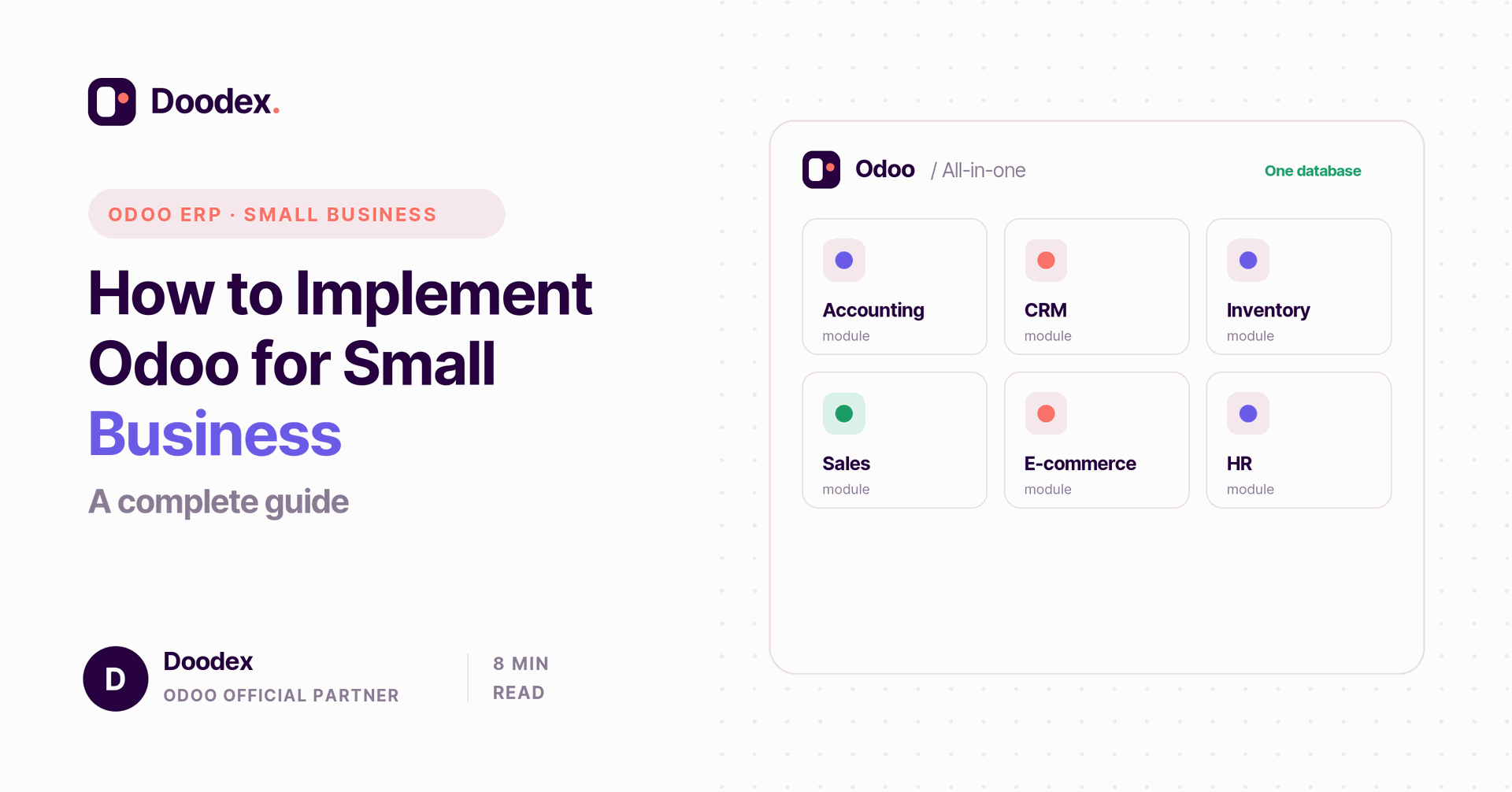
Odoo for small business is one of the simplest ways to replace scattered spreadsheets and disconnected tools with a single, integrated system. Odoo ERP brings inventory management, project management, and customer relationship management into one platform, so small businesses can streamline operations and access real-time data. Unlike traditional ERP systems that cost a fortune, Odoo is affordable ERP software with a free and open-source community edition.
This guide explains why Odoo is the right ERP solution, which Odoo modules to choose, and the steps to a smooth Odoo implementation — so your business grows on solid ground.
session
Book a free Odoo fit assessment
See which Odoo modules fit your business and what a rollout would look like — in a free session with a Doodex specialist.
Book a free sessionHow Odoo compares to traditional ERP systems
Most traditional ERP software was built for large enterprises, with heavy costs and long projects to match. Traditional ERP systems can run into many thousands of dollars a year before you add setup and support. Seeing how Odoo works differently is the first step: it is a modular, affordable suite that small teams can adopt one app at a time.
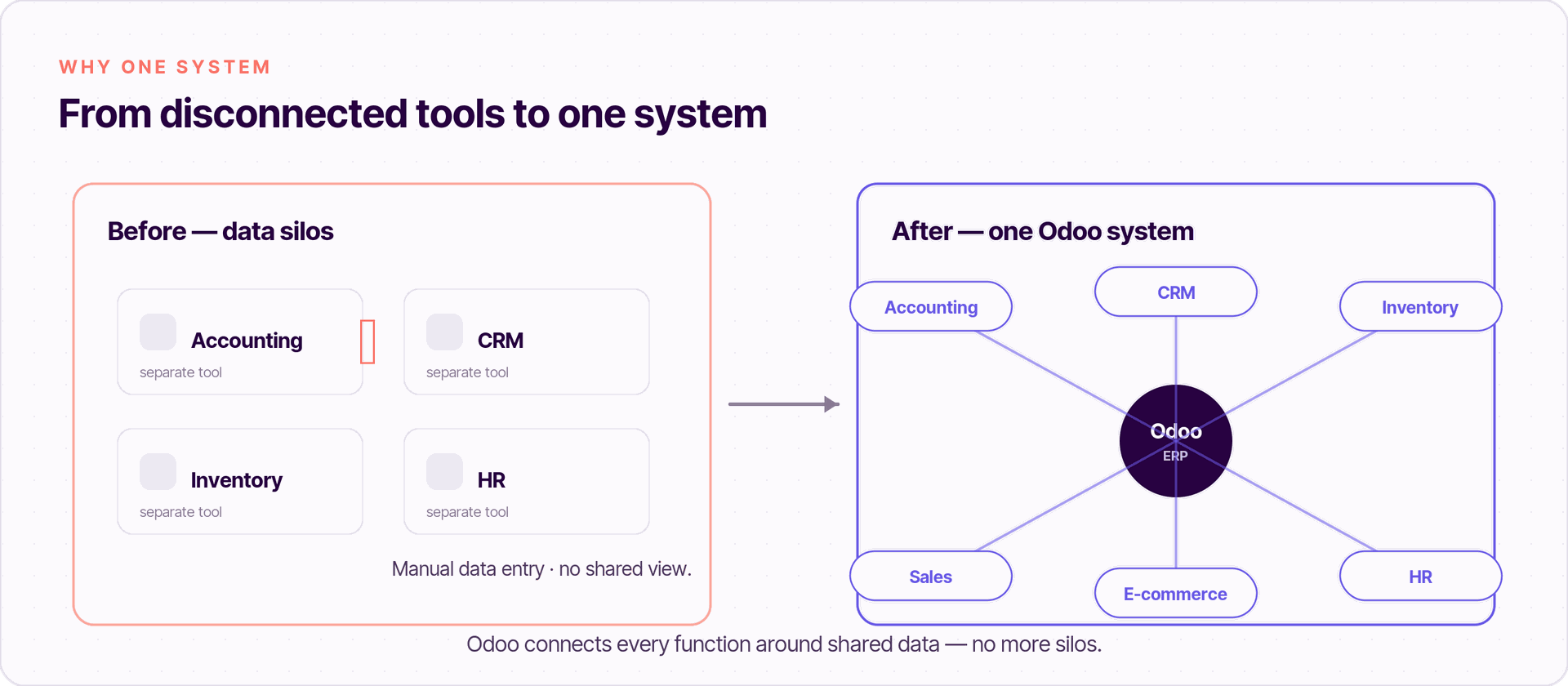
The core problem Odoo solves is fragmentation. When every department uses a separate tool, you end up with data silos, double manual data entry, and reports that disagree. Odoo replaces those disconnected tools with one system, so your business processes share the same data and your business performance is easy to see.
Why Odoo is the right ERP solution
Odoo is an ERP solution built to scale down as well as up. A few reasons it fits growing businesses so well:
- Modularity. Start with the Odoo apps you need and add more as the business expands — no big-bang rollout.
- Cost-effectiveness. The Odoo Community edition is a free and open-source option, ideal for startups, which improves cost-effectiveness versus heavy suites.
- Ease of use. A clean interface keeps the learning curve short, so your sales team and staff adopt it fast.
- Scalability. As your business grows and evolves, you add modules without switching platforms.
The result is a cost-effective, true all-in-one solution — one of the clearest ways Odoo stands apart from ERP systems aimed only at large enterprises.
Odoo as ERP software: the main apps
Odoo is more than one product — it is a library of Odoo modules covering every business area. As ERP software, it lets you turn on core apps like accounting, inventory and CRM, then add sales management, marketing campaigns, and more when ready. Below are the apps most small businesses start with, all sharing one database for seamless integration.
Odoo Accounting and financial reporting
Odoo Accounting handles everything from basic accounting to full financial reporting. The accounting module automates invoices, bank reconciliation, and tax, and gives you live financial reporting so you always know your cash position. Because it links to sales and inventory, your numbers update on their own — invaluable insights with no extra work.
Customer relationship management with Odoo CRM
Odoo CRM brings customer relationship management into the same platform. It supports lead management, tracks every customer communication, and keeps all customer data in one place, so your sales team can follow opportunities and close faster.
Inventory management
Odoo Inventory makes managing inventory simple, with real-time inventory tracking across locations. Good inventory management connects straight to purchasing and sales, so stock levels are always accurate.
E-commerce and online sales
If you sell online, Odoo's e-commerce app runs your online store and connects it to inventory and accounting. That means online sales flow into the same system, with payment gateways built in, and your product pages are tuned for search engines.
Human resources, HR management and leave management
Odoo also covers human resources. Its HR management apps track employees, time, and performance, while leave management handles time-off requests and approvals — all in one system, alongside the rest of your business functions.
Free session
Not sure which modules to start with?
Book a free working session with a Doodex Odoo specialist and map the right starting modules for your team and budget.
Book a meetingCommunity vs Enterprise Edition
Odoo comes in two flavours. Odoo Community is the free and open-source version you can host yourself. Odoo Enterprise — also called the Enterprise Edition — adds more apps, mobile support, and official maintenance for a per-user fee.
On Odoo's pricing, plans are now per user. There is a free “One App” plan; the Standard plan is roughly $25 per user per month, and the Custom plan (full Enterprise edition) around $38 per user per month, billed yearly — prices vary by country. Always factor in implementation costs too. Even so, Odoo remains a cost-effective solution next to legacy ERP systems.
Matching Odoo to your business needs
The right setup starts with your business needs, not a feature list. List your business processes, find the bottlenecks, and pick the modules that remove them. A small services firm might need only Odoo Accounting, Odoo CRM, and project management; a shop might add Odoo Inventory and e-commerce. You can always customize Odoo later as your strategy shifts, because Odoo adapts as the business evolves.
The Odoo implementation steps
A clear plan makes Odoo implementation smooth. Here is the path most projects follow:
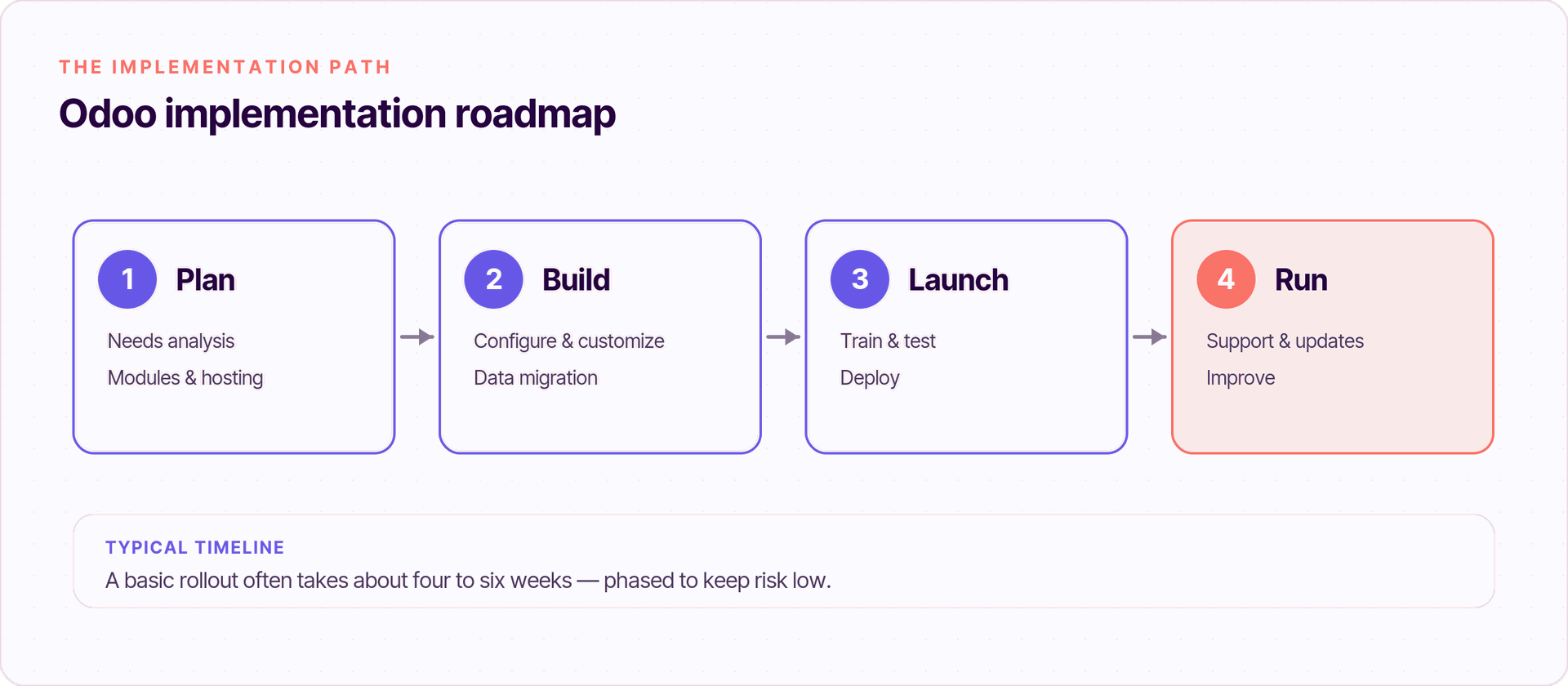
- Needs analysis. Map your business processes and set goals — move to one system and kill the data silos.
- Choose modules. Pick the essential Odoo modules and prioritize by impact.
- Hosting. Choose Odoo Online (cloud), on-premise, or an Odoo partner for help with seamless integration.
- Planning. Set a team, timeline, and budget, including implementation costs.
- Configure & customize. Set up modules and customize Odoo where it makes all the difference.
- Data migration. Clean and import customer data, products, and orders, cutting future manual data entry.
- Training. Train users so the learning curve stays short and people handle multiple tasks with ease.
- Testing. Test each module and the integrated system end to end before go-live.
- Deployment. Roll out in phases and monitor closely.
- Support. Set up technical support and ongoing support for updates and growth.
Conclusion
Implementing Odoo for small business is an ambitious but rewarding move. By replacing disconnected tools with one integrated system, you streamline operations, gain invaluable insights, and set your business up to scale. With careful planning, the right Odoo modules, good training, and ongoing support, Odoo can turn a small team into an agile, high-performing one.
If you want a partner to plan and deliver your rollout, Doodex is an Odoo partner that handles the whole Odoo implementation — from business needs analysis to go-live and beyond.
Your Odoo partner
Ready to implement Odoo in your business?
Doodex is an Odoo partner that handles the whole implementation - from business needs analysis to go-live and ongoing support. Talk to our team to get started.
Talk to a Doodex expertanswered
Is Odoo good for small businesses?
Yes. Odoo for small business is modular and affordable, so you start with a few Odoo apps and add more as your business grows.
Is Odoo free?
The Odoo Community edition is free and open source. Odoo Enterprise adds more features and support for a per-user fee.
Which apps should I start with?
Most teams begin with Odoo Accounting, Odoo CRM for customer relationship management, and Odoo Inventory for managing inventory.
How long does implementation take?
A basic Odoo implementation often takes about four to six weeks, depending on your business needs and data.